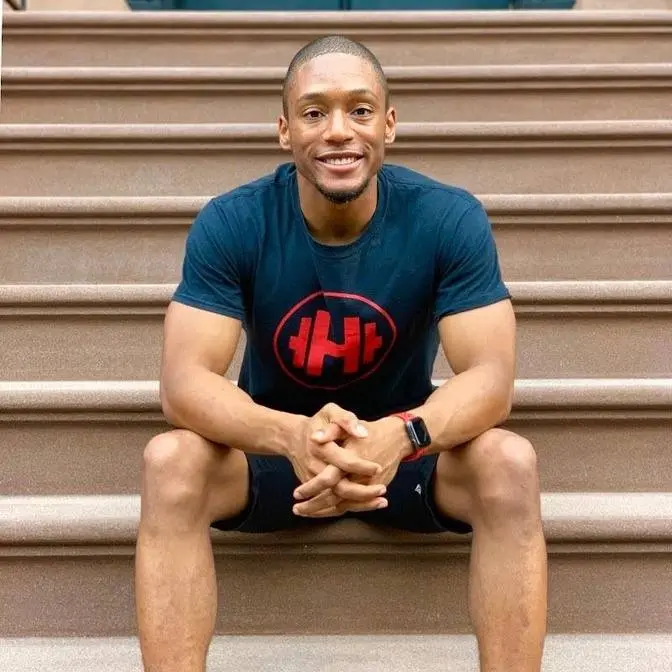
Starting a YouTube channel and wondering what equipment you should first start with? In this video I will be going over the best YouTube gear if you are making a youtube channel in 2020 . You can also learn something if you've been in the YouTube game for a little bit ;). The 5 things you need to start with are listed below with specific links of where to purchase the items. This is the best Youtube equipment list that I can put together for any price level. I include the best YouTube starter budget camera, lighting, and other equipment to help you start your new Youtube channel. Another good channel to find the best YouTube equipment is Sean Cannell on ThinkMedia! I hope you this video helps you get started on this amazing platform. Remember to share what YOU are passionate about. You never know who is watching :)
QUESTION OF THE DAY: What type of YouTube channel are you starting?
Did you enjoy this video? If so don't forget to LIKE and SUBSCRIBE to my channel if you haven't already!
Disclaimer: If you choose to purchase any equipment through any of the links above, I do receive a small kickback that helps support the channel. I really appreciate you for all the love and support :)
So it's a new decade.
You promised yourself that you would start a YouTube channel, but what do you actually
need to start a YouTube channel?
What lights?
What cameras?
What tripods?
So many things, but what do you actually need?
Well, in this video, I'll be going over the top five pieces of equipment that I think
you absolutely need to start a YouTube channel.
So let's go ahead and get right to it.
All right, so piece of equipment number one is a camera.
Pretty self-explanatory.
If you're going to start a YouTube channel, you need something to take a video of yourself
or whatever the subject is that you are shooting.
Now in this video, I want to go and share both a budget, medium, as well as a high-end
option.
Starting off with a lower budget option, you can always use your phone.
It's the best camera that you have with you.
Technology these days, especially in phones, you literally get some of the best video quality
from your phone.
All you need to do is turn the camera to you, you talk to it, and boom, there you go.
You got a camera right here.
It's in your pocket and you already paid for it.
The next medium budget option would be something like this, which is like a smaller camera.
This right here is the Sony a6600.
I actually think a lot of beginning people who start in YouTube actually don't need this
camera.
I use it for a lot of video shoots.
So I would suggest looking at the Canon M50, the Sony a6100, or the a6400, and I think
you'll be good.
So one of the higher options that you can go for is actually what I'm filming this video
on right now, which is a a7 III.
It's a full-frame camera.
Sony a6 are one of some of the best cameras that a lot of people are using on YouTube
right now.
But another really good camera that I've actually used before is the Canon EOS R. If you really
like kind of that look that has really good colors, that's probably what you want to go
with.
So the second piece of equipment you're going to need is a lens.
So once you have your camera, you actually have to have a lens that will take an image
of you.
So one of the best lenses I think that you can use is the one that comes with your camera.
It's the kit lens.
It's not going to be the highest of quality, but it's going to get the job done.
You can then move up to maybe a little bit of higher level with this, like a more expensive
zoom lens, or you can use what I'm using on this camera right now, which is where you
kind of get that blurry background that you see a lot of YouTubers have, which is a prime
lens.
If you're using a camera like the Sony a6000 series or the Canon M series, you can check
out Sigma 16 millimeter lenses.
They're around $450.
I think that's a great option.
And then again, for the full frame, you're looking, I'm not going to lie, it's pretty
expensive.
Just get something that you can put on your camera that is pretty decent quality.
So when people are watching it, it doesn't look like it's like a scary mess.
So really these next two pieces of equipment are honestly just as important for the camera.
In fact, if it doesn't matter what type of camera you have, if you don't have these two
pieces of equipment, you can just, might as well say goodbye to your YouTube channel because
nobody's going to want to watch your videos.
So the third piece of equipment that you need to start a YouTube channel is lighting.
I cannot express this enough how lighting is so important.
You could have the best camera out there.
If you have terrible lighting, it's still got to look terrible.
So what I suggest for people on a budget is use daylight, which is basically you just
go sit in front of a window during the middle of the day and then boom, take your video.
Super cheap, doesn't cost you anything.
So the second option, which would be something more mid-tier is something like this, which
is like an LED panel.
This is a newer, it's N-E-W-E-E-R, so new year, new year, I guess that's what it's called.
And basically what this will do is give you some artificial light that you can actually
control.
I think you can get one light for 70 and if you want to get a two light kit, that would
be around 140.
And then the higher end option is what's lighting this video right now, which is the Aputure
120D.
A lot of professional YouTubers have this light.
Honestly, I think it's a little bit overkill for somebody who's just getting started.
I think you'll be fine with either daylight or one of those lights.
And then as you kind of grow your channel, then you can kind of get a light like this
one.
And then the next important piece of equipment, which is number four, is a microphone.
You have to get good audio.
People can watch a crappy video, but if it has terrible audio quality, somebody's definitely
not going to be watching that.
So you want to make sure that your audio is crisp and clear.
So for people who are on a budget option, a lav mic would be the first option.
So here are the little Rode Go mics, which you could basically clip one onto your shirt.
You guys have probably seen this in some of my videos.
You clip it on, you plug the other end to your camera, and then boom, you got audio.
Another option is what you see here, which is the Video Rode Micro.
And this is what a lot of people use, again, when they're on the go.
It's super small.
This little thing is called Dead Cat.
I didn't name it.
Sorry.
That's what it's called.
It's just a dead cat.
And then what I have is this guy right here.
This right here.
You guys probably never see this, but this is the Rode Video Mic Pro Plus.
I love this one.
It basically turns on whenever I turn the camera on, and that's how I get really good
audio.
And another really cool secret is I actually have a blanket to my left, and what this is
supposed to do, it's supposed to block any sounds from going away.
So it's not going to be as much of an echo as if I didn't have it here.
So that's a secret.
And then the last piece of equipment that I think is super essential to starting a YouTube
channel is a tripod.
So you have to put your camera on something so you can actually sit there and talk to
the camera.
So one of the biggest budget options is just put it on a table, put it on a sofa, whatever.
Wherever you're at, you could just put it and make sure it's flat.
Maybe you could put it on a box of books or something like that, and then just talk to
the camera.
What I really prefer is the mid-tier options, which is the SwitchPod, which just came out
this past 2019.
And then you also have the trusty Joby GorillaPod.
This is what a lot of people use if you watch Casey Neistat or any of the vloggers that
you watch.
Most of them use this guy.
I will say that over time, this gets super weak and it can fall.
So if you have a heavy camera, just be cautious of that.
That's why I got the SwitchPod.
It gets a little bit more sturdy.
It's good when you're in the house and you're just filming a video.
And then for a few bonus pieces of equipment that I think will be super essential, definitely
extra batteries.
Depending on how long you're shooting videos, I typically like to batch my videos, like
shooting two or three at a time.
I like to have an extra battery on me just in case I didn't charge the first one the
first time.
So it's just good to have an extra battery.
Another thing I like to do is have a notebook.
I can actually think about some of the topics I want to write about, put some bullet points
down if I want to write a script.
And then lastly, what I've been using for this whole time is a remote.
This is super clutch, so I don't have to keep getting up, turning on, recording the camera.
I can stand here, boom, turn the camera on, boom, turn the camera off once I finish recording.
So it's a really good thing to have these three little bonus items.
So those are the top five pieces of equipment that I think that you absolutely need to start
your YouTube channel.
I hope this video was helpful.
Question of the day, what is your YouTube channel about or going to be about?
If you have one, go ahead and put your channel in the comments.
I would love to see what the topics are that you guys are making videos about because honestly,
I have a big belief that if you have a wonderful and great idea, you should share it with the
world.
Don't be shy.
Just do it.
And again, you know, there's different pieces of equipment that I've linked down below,
but really the idea is just to get started.
Start filming, start thinking of ideas, and that's how we're going to change the world,
guys.
So anyway, I hope you have an amazing day.
I'll catch y'all later.
You already know, embrace the hype.
Woo!
Started with the iPhone and then I moved forward.
All right, so the best pieces of equipment.
Piss off.
It's your boy Noah.
It's your first time here.
I make the best tech.
I make videos on the best tech and tech.