This video is brought to you by Squarespace, the number one website platform for entrepreneurs.
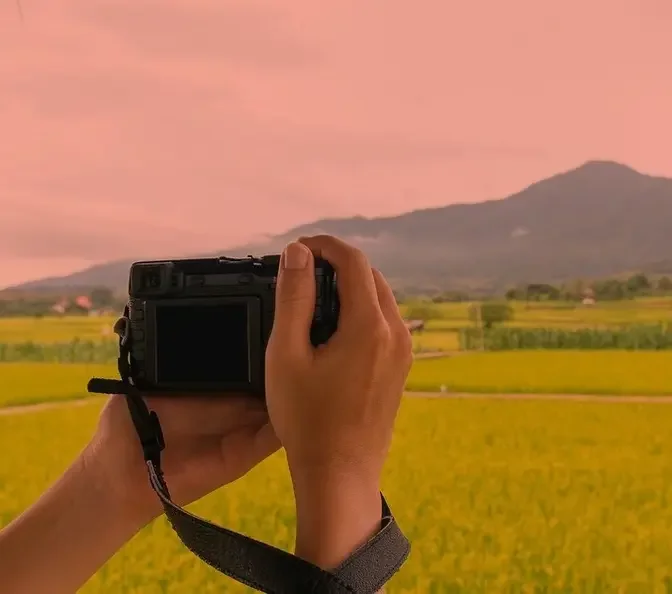
This is the brand new Hasselblad X2D-2, okay?
Before we dive into all the nerdy stuff on this camera, I want to find out if it corrected the
five flaws that I had with the previous X2D. So we're going to find that out in the studio
with Elizabeth Whelan again. Are you tired of me yet? Never. Yes. Okay, well, you're paying for
your Uber. Full disclosure, Hasselblad is letting me keep the camera in exchange for a product
showcase video. That said, no one's paying me to say nice things, so you're going to get both
the pros and the cons. So one of my biggest issues with the previous Hasselblad X2D is that when I'm
shooting in the studio and I want to kill all the ambient lighting in the studio, see, this camera
doesn't have a live view display simulation. So other mirrorless cameras, when you attach a flash
trigger to it, like a Canon, this screen is automatically going to get really bright and so
you have no problem focusing. On a Sony, you can actually map it to a custom button and you can
make it bright or you can make it darker so where you see the ambient lighting. So with Hasselblad,
they take a different approach. You don't get this exposure simulation. See, what happens is
when you're trying to focus, the screen gets slightly brighter just to try to grab focus.
And you see here on the X2D1, I can grab focus, right? But I didn't kill all the ambient lighting
yet. See, there's still some lighting there. So if I close down the aperture to, let's say,
f8 and I want everything completely dark, this is where this camera will struggle with focusing.
And a lot of the times, I'll end up in manual focus and then also with a lot of autofocus shots,
you see? So I can't get focus on her. If I drop my shutter speed to 125, see, now I can get
some focus on her so that this will work. But a lot of the times, it's hit or miss. The tricky part
about this is that even though you're getting a confirmation beep, there are going to be times
where you're actually getting a false positive, where the shot's actually not in focus. So
something I talked about in previous videos. So with the new X2D2, now they implemented LiDAR
with face detection autofocus. So now with LiDAR, the way LiDAR works, it sends a bunch of infrared
light and it measures the light as it's bouncing around. And what that does is you don't need
contrast. You don't need necessarily enough light on your model. You can pretty much focus
in darkness. And what's funny, what's crazy is that you could even focus on a freaking wall
with no contrast or any kind of texture, color. Look. So that is one of the benefits of having
LiDAR. So I'm wondering, will this solve the issue of not being able to focus in a studio,
in a dark studio? Well, let's find out. I'm going to use the same exact settings that I used.
F8, 125 shutter speed. All right. And you see here, it grabs focus instantly. I'm in continuous
autofocus. Let me change it to single spot so we can get confirmation, a confirmation beep.
It's really quick. F8, 125 shutter speed. So that, whether it's accurate or not, well,
we're going to see pretty soon, but it grabs focus really quick. Now, problem number two,
it still has to do with the autofocus, but it was not being able to, the camera not focusing
on the eyeball. So a lot of the times I'll get eyelashes with the X2D1 because it doesn't have
eye detection. It has face detection. So it's hit or miss. So I'm shooting wide open on the
new lens at F4, which is still a pretty shallow depth of field for medium format. I'm shooting
closeup portraits and we're going to see here. So I got eye autofocus working. Let's take a
couple of shots here. I'm going to go rapid fire, continuous, one, two, three. So here,
I wasn't trying to take a nice shot. I just set it up for the test. And out of 19 consecutive shots,
only one photo was out of focus. So that, that I find pretty promising, but again,
this is just a quick test. Only time will tell as I keep using this camera.
Another thing that really annoyed me with the X2D is that this camera doesn't have continuous
autofocus because it's just one of the, one of the things you got to accept about when you use a
camera like this. Well, now on the X2D2, you have continuous autofocus along with subject detection,
which is really nice. Now with this camera, now I can essentially shoot it like I do with my Sonys,
my Canons, and I'm always in continuous autofocus. I mean, you don't even have to
press the shutter and you're going to see a little box over the eye and it's going to just
follow her around so she can move toward the camera, away from the camera. Watch, turn,
turn your back to the camera with just your head and it will actually put a box around her head.
Watch, look away. See, it's still going to put a box around her head. So it still identifies
her as a subject. That's what I'm looking at. It won't, it's not going to veer off,
which is really, really nice to have. Okay, number four, the X2D did not have a joystick.
This was one of my biggest complaints with the usability of the camera because, well,
how are you going to move your focusing point around if it doesn't find the face? And also,
I mean, using the screen to move your focusing point around, come on now, that is like some,
that's not, that's not the way. Like I love a good minimal design, but this is just not the way
to do it. So now we have a joystick here that can also work with, you know, you can also push it in,
customize it, a custom button with, and now you also have another custom button down here that
comes default. You know, you could change your autofocus settings, which is really nice. But
the big thing here is a freaking physical joystick. Thank you. You know what I'm saying?
Like, Hey, look what we're doing here. Let's move baby. Yes.
I would say number five is the battery life. Now this one, I don't know yet because I haven't,
I haven't put the camera side by side, but my inkling is that this camera might be actually
worse than battery life. That's just a feeling that I have because you have more technology.
Now you have more processing going on. And the battery that I had in this camera is already
a little low here. Just sitting on idle. It's at 24% when I was at 70%. So yeah,
the battery life we'll find out, but so far it's not looking good. There's more tech.
It is what it is. Now let's, uh, let's actually take some photos now about that.
So the photography setup that I'm doing today, I'm doing one of my staple two light setups.
I've got my beauty dish on her left side, obviously. Okay. You got some shade.
Obviously shameless plug, Manny Ortiz beauty dish.
Yeah. I don't see, uh, I don't see anything wheeling around here. So,
you know, you know, I've got haters everywhere. Even, you know, in front of them,
the wheels on the camera stand. Other light I have here, I have the FJ 800 with the optical spot
that is going to be projecting a like vintage style window onto her. So it's a two light setup.
The key light is this light. Okay. I'm going to have this light. This is going to be my dominant
light. And then I have the beauty dish as a fill light, because it's going to be really dark and
shadowy without the beauty dish. So we are connecting to the focus to mobile software.
And it's really nice. It's all wireless and I can tether directly to my iPad. And it's a
pretty quick transfer. It's just a couple of seconds. So you go, it shows the album. Okay.
We got live. You see, bam. I'll let your boy. Okay. Well, so far it's not necessary though.
All right. I know we all love the shiny new thing, but you know, what's even more important
than the Hasselblad X32 is you finally starting a website with Squarespace. Okay. They absolutely
make creating any website, online store, or even a personal blog easy for anyone to set up and
manage on their own. Like I've never come across another service that is this seamless. And I use
Squarespace for damn near everything. It's where my portfolio lives, where I can show off my best
work without it being compressed to eight bit hell, like it is on Instagram. It's where I manage
my online store. And even where I sell my off-camera flash mini course that I just created.
And I did it all on my own, leveraging their new AI design tools and features. If I had any
questions, I could just simply reach out because they offer 24 seven customer support. So seriously,
no more waiting. All right. No more waiting. Try it out now. If you love it, use the code Manny for
10% off. Okay. Okay. Shot number two is going to be one of another, one of my two light favorites.
Okay. We're doing a slit lighting and the same kind of thing. We're going to slit light across
the face. And then I'm going to use my beauty dish as a, as a body fill, because it's going
to just be a slit with all darkness if we don't have that fill light. All right. And now,
I finally got a reason to use my fan. I attached this fan here. It's not a various,
it's not a very like ergonomic pretty setup here, but the fan is just going to create a little bit
of hair movement, a little bit of hair movement. I think it's going to add just that extra little
bit of flair to the shop. If you already start to get dry, let me know and I'll take it. I'll turn
really good examples of the autofocus system and really beautiful juicy B roll of the camera and
just examples of, of all the talking points. If you follow my Instagram, you'll, you'll know that
my SanDisk four terabyte external SSD that I have that I edit on, it crapped out on me.
It just stopped working in middle of the edit. And I lost pretty much almost a month's worth of
month's worth of like content on this camera with just a ton of footage. And so I'm sick to my
stomach. And now I'm going to kind of, kind of run through some of the main points of the camera
because, you know, just talking about the five things that, that matter to me that they address,
it's just not enough. So let's get, let's get right into it. I think it's quite obvious that
Hasselblad with their version two, didn't go balls to the wall. Didn't make any drastic changes to
the camera, but instead they made little improvements to the camera that it just,
it just improves the usability and the experience. But the biggest one without a doubt is the
autofocus improvement. Now it do, it does something that I don't know of. I don't know of any other
mirrorless cameras being able to do, right? So it combines phase detection with LIDAR and allows you
to do things that I just could never do with any other camera, right? Like for example, look at
that plain gray backdrop. I can focus on a plain gray backdrop and LIDAR, which is such a cool
technology. It's using lasers. I think about you think, think, pretend I was holding a laser
pointer, shining it at the background and what it's doing, it's measuring how long that light
takes to get back to the camera. And that's just kind of how it gauges working in combination with
phase detection. I mean, I think it's a really cool technology and allows you to just, again,
do things that you couldn't do with a regular phase detection, pretty much pitch dark darkness
because it creates its own light. You can get autofocus. Amazing, right? This one has 425
phase detection autofocusing points versus the version one where you get 294. You also get,
of course, continuous autofocus. One of my, one of the biggest, you know, one of the things that I
wanted in this camera. You also have subject detection. So you have people, animals, and cars
to choose from, or you can just turn it off in general. And then you have some focusing point
options now. So you have, you know, you have the small, you have the expand,
and now you can even customize your focusing point on here. So if I want to make it, I can
make a rectangle, you know what I'm saying? I can make it smaller, larger. I can make it wider.
Really cool feature to have, but this is something I didn't expect Hasselblad to have. I mean,
we're basically just catching up here with continuous and subject detection when almost
every other brand has it, but we have this option and this is just a really cool thing to have.
Let me show you another improvement on this camera, but this has more to do with the manual
focusing. You can now have touch AF in manual focus. So now let's say if I'm like really out
of focus, I can just tap the screen and it'll quickly focus. And now I can just fine tune,
you know, fine tune the focus from there, but I can, now I can just tap. So if I tap on the
background, focus is there, focus is here. Now there is another really cool option on this
camera. And we see when you go to the focusing menu here, you look at arbitrary tracking.
Arbitrary tracking is only applicable to expand spots when you're using AFC mode, right? So
basically I need you to see, this is really cool. Now in the focus menu, if you turn on
arbitrary tracking, but that's similar to like Sony's locked on tracking. So you see a strobe,
right? I have the expand spot, right? There's no human, there's no subject detection working,
but if I hold it, now it's going to place a box over that object and now it's going to track that
box throughout the frame. And this would be good if you're tracking people, right? Because you're
always going to have the face, they might turn their back and this is going to, you know, be
able to track them throughout the frame, but it only works in the expand, doesn't work in any of
the other ones. Now let me show you what it's like when you have two subjects. Now, if you have
multiple people in the frame and if you're in a wide area, you're going to see that it puts a box
and it identifies this new mannequin here on the left as a subject, as a person. So I can easily
just hit the joystick to switch from person to person from left to right, just similar to all
the other cameras like Sony, Canon, Nikon to switch from subject to subject. And I want you to notice
how far it can detect subjects. I mean, they're like 50 yards away and it tracks them easy. Even
after these three people walk by, it goes right back to them using the joystick. But if you want,
if you don't want that, you can just change the focusing mode to one of the other more
constricted ones. Let's go to expand and now it's not going to give you that option. Now you have
to actually like have the focusing point near the person to focus on them. Okay, so I almost forgot
a small detail. When you're in manual focus and you're trying to line it up to get green,
you now get like a haptic feedback, like a small little vibration in the camera to let you know
that you are in fact in focus. On the Hasselblad X2D II, you have, I think, the best image
stabilization out of any camera out there. So now you get up to 10 stops of image stabilization
versus the seven stops that was in the version one. Since all of my nice vacation photos were
deleted, well, we're going to settle for this cute doggie poster on my fridge. And you see
at a one second exposure at around the same focal length, the X2D II's 10 stop IBIS does show an
advantage over the seven stop. Either that or I have the freaking hands of the surgeon. I mean,
I think I got into the wrong field, baby. Look at this. Now the center in the X2D II is the exact
same one. Now you have a native ISO of 50 and according to the spec sheet, get a 0.3 in dynamic
range. So you have 15.3 stops of dynamic range. In my opinion, that's just neither here or there.
You get, you have more than enough. Okay. And it's just a thing that I've noticed. I mean,
I've been making a lot of medium format videos. My past two or my past couple were medium format
videos. And what I said in there, and I was cooking when I said this, when it comes to
dynamic range, there's only so much that you need. And up until a certain point, when, if I have to
push a file so, so, so hard, those are usually files that are not keepers for me. The majority
of the time, it's the ones that I don't need to freaking push all the way, but don't get me wrong.
I know it's, it's nice to have that nice to have that advantage there, but that's just a little
nugget there. Don't put too much stock into that because the version one already was so good. Now
you're going to notice here, one of my favorite parts, when I took this camera out of the box,
that graphite gray. So I really wanted their, their earthy, their earth tone color, their color
combination. It was more for like landscape photographers. And I think that they realized
that, Oh, we're onto something because people really was, I know people were really digging
though that, that color scheme. So they even, in my opinion, I love this, the graphite gray
color scheme with the new texture on the grip. You know, I never had issue with the texture on
the grip or the grip in general. It's one of the best cameras in the hand ever that I've ever
experienced, but they just made it even better. This camera is even slightly lighter than the
previous one. I believe that they shaved like 40, 50 grams off the weight. You could definitely
feel it when you're holding just the body only, but I ain't got no issues there. Okay. There's a
lot of also little improvements. Like I was telling you, um, like now with the ISO, you now
have the ability to use auto ISO version one. You didn't have that now a big improvement to the
camera body. I can't believe I'm talking about it this late. Cause all my fellow ADHD is out there,
probably clicked away from the video, but the screen now has a mechanism where it pops out.
Now it pops out far from the body here. You see what I'm saying? So now you can,
you can do hip shooting, right? With the version one, see the screen did tilt out, but this is as
far as it tilted. Okay. And you see what happened? The EVF, the EVF is blocking the screen. So if
I'm shooting it at hip level like this, the EVF is blocking like a quarter of the screen
shooting from the hip shooting at hip level, you can see the screen and it's not obstructed by the
EVF. And you can also tilt it downwards so that if you're shooting above your head, you can now
get that angle as well. That's something that you could not do on the version one. So it just,
you know, again, um, improving the usability and the versatility. Hasselblad has also unlocked
a little bit more customization out of this camera. So again, they, they included another
custom button here under the joystick. You can also map the joystick, which is nice,
but also the front dial here in the first one, you couldn't press it.
You could only press this one. Now you can press the front dial in. So I have it mapped to
change my subject. So if I'm shooting animals, I can just click the front and quickly swap.
And there's only three different subjects. So it's really easy. And in my previous one,
Hasselblad the version one, because I didn't have the joystick, I used the back wheel to kind of
punch in and see if the person's in focus or whatever. I can use that on the, I can, I use,
that's what I have the joystick for. So I'm good. Now I have this, I can use this to now change the
crop. So is that as cool as a Fuji with the lever with like the, the GFX 100 RF, but now I can use
this to quickly switch over to expand if I want also really cool. Okay. So now, now what are some
of the things that I'm not a big fan of with the X52 and to be fair, there's not much because
they pretty much addressed a lot of the issues that I had with the previous version. And you
could look back at all the videos I've been making on Hasselblad for the past year.
And it's a fact check me. Okay. Cause they really did address a lot of the little things. That's
why on paper, it's not like a super exciting camera, but for people that understood and
what the limitations were with the previous one, they pretty much addressed most of them,
you know, and the fact that this camera comes in at $800 cheaper than version one, this is $7,400.
Okay. Hello. The one thing that didn't improve on was the EVF lag. So I always complained that
the EVF lag here feels like a half a second, you know, with my other cameras, the moment I put my
face to the viewfinder, the screen just pops up. The EVF lights up right away with this one.
You see here, there's a little lag there. So when I put my face up to the screen, I'm working fast.
I don't, the EVF doesn't pop up right away. And sometimes the sensor, you know, it just
lags a little bit. They haven't fixed that. Another one is the battery life. And I've talked
about this before. I was kind of exaggerating in the beginning of the video because the battery
life was bad because I was connected to the app. The app was draining the battery a lot faster.
Now, when I'm not connected to the app, the battery life is very, very, very similar to
the X2D1. So I don't think it's changed much, right? The adding of LiDAR and a couple extra
things, it's not really making a big difference here with the battery life. It's still
not great, still worse than any of my other full-frame cameras, but you know, it's good
enough to get through a shoot. But if you leave it on standby, you know, you leave it on without
it turning off, it's going to drain a lot faster. And I would say, you know, the camera not having
live view simulation, not having that option in camera, right? So obviously we have the app.
That's a workaround. The app will allow you to make the screen brighter, right? It will give
you a live view simulation. I actually looked on ChadGBT. Why doesn't Hasselblad allow you to do
this like other manufacturers? And it gave me an answer and I'm not sure if it's true or not,
so don't quote me, but it said that, you know, Hasselblad just, they don't, they don't believe,
they don't believe it. They don't do it because it doesn't give you an accurate representation
of the image that you're taking with flash, which is fair. Yes. Yes. And so they, you know,
they expect you to rely on test shots and, you know, using light meters, histograms,
right? And I get it. I totally get it, but I don't use live view simulation to show me what
the image is going to look like. I like to use that just to be able to gain focus.
If I, if I'm struggling and also to compose my shot properly, because if you can, if the ambient
lighting is completely dark in the studio, right? Just it getting a little bit brighter to gain,
to get focused. That's not enough to see what I'm doing. You know, I got to take my eye off
the viewfinder. I got to look at what I'm doing. I want to be able to see it on here.
And so the fact that I have to connect to the app to be able to do that, it's kind of a pain
because now I got to turn my head while I'm shooting like this. And that's not a way to,
no, I don't like doing that. I want to be engaged. I got, I got a tunnel vision, man. I'm like
focused. So that, that is something that I wish they would be, they would include in a firmware
update or something with this camera so that it's just a better studio camera. That is like just
one of those little things, but overall, man, I mean, $7,400. Look at the end of the day,
this is a very first impressions. I need more time with the camera. I want to shoot it outside.
I want to shoot it in challenging lighting situations and see if this can truly this,
if this truly can replace a full frame camera in terms of workflow, because from what I can see,
what I'm using, what I'm seeing here, this camera shoots like a Sony. You can shoot quick. I mean,
only three frames per second, but you know what I'm saying? You lock focus. If someone's walking
toward the camera, the focusing, I feel like it can catch, it can keep up. You have the arbitrary
tracking option for whatever you need. It's a very interesting package. Also notice that I haven't
said anything about the lens yet. This is a 35 to 100. I'm going to make its own video on the lens.
I feel like it needs his own video. This, this lens, it's like a 2470 ish equivalent lens,
but for medium format and is about the same size as a Canon 2470, albeit it has image stabilization,
but to be able to make a medium format 2470, this compact, that's really just opens up the doors
to people that need flexibility on location and don't have all the time to be switched,
swapping out lenses. Like I've done client shoots with the X2D before, and I was constantly having
to switch from the 35 to the 55 to the 90, depending on, and that was just, that wasn't it.
Something like this would have been so clutch and allowed me to work faster. Yeah,
this is a long ass video. I got, I got some more videos. I got some more videos coming, man. I
think I'm going to continue with just doing more on location, like real stuff. Instead of just
sitting back there and just giving you B-roll and reading off a script, I'm going to do more of,
you know, live presenting. I feel like YouTube needs more of that. If I try to think about
everybody doing the same thing, sitting at a desk and talking, kind of like what I've been
doing this whole time, I'm trying to change it up a little bit here, guys. Let me know what you
think of the change in style. Also, Off Camera Flash Mini Course. Link will be down below if
you want to learn how I use Flash. It's down below. Talk to you later.