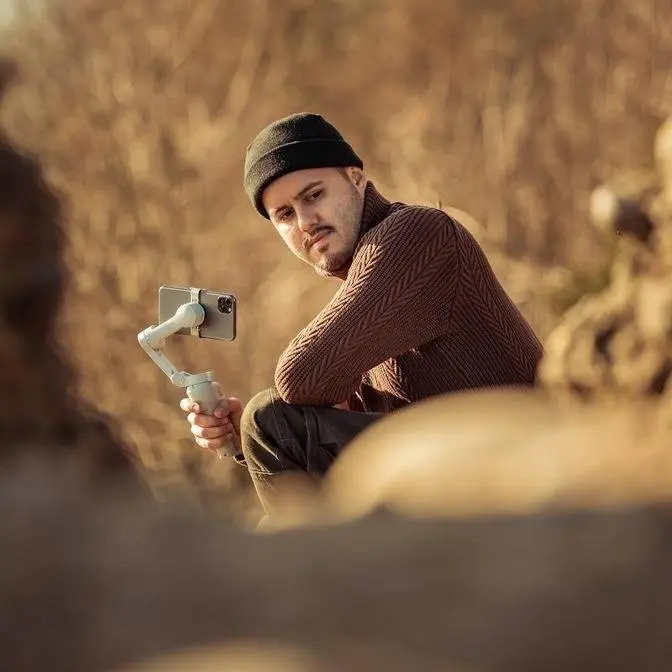
I walk you through my iPhone 17 Pro Max filming rig and how to get smooth handheld motion in real shooting situations. No overbuilt setup, just practical results.
DISCLAIMER Some links are affiliate links, where I earn a small commission if you click on the link and purchase an item. You are not obligated to do so, but it does help support this YouTube channel and allow me to continue making videos for you. I appreciate your support!
In today's video, folks,
I'm gonna show you how to get creative shots
with your iPhone using the cage
from Freewell called the Genius Rig.
I'm gonna show you the setup process, camera settings,
as well as different creative shots
you can achieve with this rig.
Now, let me show you how easy it is
to set up your iPhone with the Genius Rig.
All you need to do is unlock these latches,
and now I can simply place my iPhone 17 Pro Max in it,
lock the latches, and I'm done.
When I try to shake it off,
you can see that it does not fall out.
And what's really cool about the Genius Rig
is that I can attach Freewell's magnetic VND filter.
This is the one-to-five stop,
and the VND is essential
for getting that natural motion blur
that makes your videos film-like.
Now, this rig comes with various one-quarter screw holes,
as well as cold shoe mounts to attach different accessories.
You also get two handles for better stability
when shooting handheld.
And what's cool is that it uses these quick lock mechanism
to attach and detach the handles to the cage quickly.
Now, the rig comes with a few exciting features
that I'll touch on later
that allows you to be more creative with your shots.
So let me quickly walk you through the camera settings.
The codec is H.265, the resolution set to 4K,
and the color space to Apple Log 2.
This way, we get a more natural-looking image,
and we also have more flexibility
when color grading later on.
As for the frame rate, I'm shooting in 50 frames per second.
This allows me to slow down the footage later on.
I'm using a shutter angle of 180 degree.
This way, we get that natural motion blur.
The ISO I set to the lowest number.
The white balance is set to auto,
but in the settings under camera,
I've enabled lock white balance on record.
This way, once I start recording,
the white balance will be locked.
I'm also using the rule of thirds, as well as the leveler.
This way, I can compose my shots better
and also level it so that my shots look straight.
Now, when setting your shutter speed, be sure to lock it.
This way, when I tap on the screen,
it will only affect autofocus.
Now, as for the stabilization, I've set it to extreme.
This way, we get the smoothest video possible
when shooting handheld.
Then under the LUT,
I've enabled the Rec. 709 Neutral LUT.
This way, I can better judge the image.
I'm also going to enable the Bluetooth shutter.
So I'm gonna turn it on,
and then simply head to the settings,
and then you can see under other devices,
I'm gonna select Genius, pair it, and now it's paired.
When I now press the trigger,
it will start recording, as you can see.
Now, it might be challenging
to make a boring location look interesting,
but we can fix that with a few creative shots
that I'm about to show you using this rig.
Now, I love to start with an establishing shot
just to show the viewers where the scene takes place.
For this shot, I'm going to slide from left to right.
And because we have this bush over here,
we can emphasize some camera movement.
And I don't need to walk.
I can just simply move with my body left to right.
And by using these two handles
and keeping the rig close to my body,
I can create a steady slide shot.
Now, because we have a clean background,
there's nothing distracting,
I can also add a title to this establishing shot.
I'm going to lock focus over here, and action.
The Genius rig has built-in tripod legs
as well as an extension pole.
And I can combine them
so that I can place the rig on a flat surface
and also adjust the height.
So right now, I'm gonna create a static shot
of me sitting on a tree, which should look cool.
And for that, I'm using the telephoto lens, the 100X,
and I'm filming this in 25 frames per second
because I don't plan on slowing this clip down.
So I see some birds,
and I wanna capture them using the 200 millimeter lens.
It's always interesting
to have moving subjects in your shot.
I've already went ahead and took some shots of the birds
as I would otherwise would have missed them.
And I think the results turned out really great.
So we have this beautiful pathway.
I'm gonna create a crane shot where I lift the camera up.
And in order to do that more easily,
I can detach the handle and attach it on top,
and then twist the handle
so that I can more easily create that movement.
Simply get close to the ground.
And then from here,
I can simply lift the camera slowly
to create this crane shot.
Now, another interesting shot I want to create
is from a lower angle,
and I'm gonna film myself walking.
I simply attach the tripod legs to the cage
to achieve this low angle shot.
I'm gonna record this in 25 frames per second,
start recording, and simply pass by the camera.
So now I'm gonna capture a shot of myself.
And what's cool is that I can use this handle
as a selfie stick.
I can extend it all the way.
And I also angled it in a way
so that I can capture myself from a lower shot.
Now, with the selfie stick extended,
I can also keep the camera further away,
fitting more in the frame.
And you can also use this setup for vlogging as well,
which I think looks great.
I'm gonna hold it this way and then walk.
So I want to capture the reflection of the river
as well as show how long the river is.
So what I'm gonna do is simply tilt up the camera
while I walk sideways to kind of reveal everything.
And in order to create smooth camera movement,
I'm gonna do the ninja walk
where I walk heel to toe.
Action.
Now, another great way to use the extension pole
is to capture a low shot.
And I'm simply gonna film myself walking.
And also by attaching the tripod legs,
I can make the extension pole even longer.
Invert the camera.
And now I can start walking.
As for the second last shot,
I'm gonna, again, use the extension pole
and the tripod legs to get a static shot
of me sitting on this bench and enjoying the view.
Start recording.
So I think that's a stork over there.
And I'm simply gonna capture a handheld shot of it.
100 millimeter lens.
I think this looks nice.
So we're just gonna capture that.
So now that we've captured all of the shots,
let's put them together, including the behind the scenes
so that you can see exactly how each shot was taken.
I hope you got a good understanding
on how to use this rig to capture creative shots.
If you have any questions,
feel free to leave a comment below.
As always, thank you so much for watching, guys.
Take care, and I'll see you in the next one.
Bye.