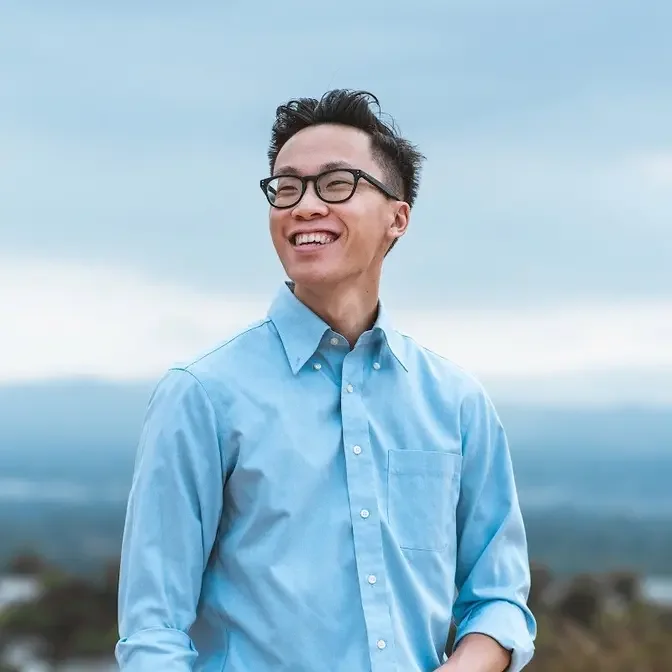
In this video, we go over how I film a hotel commercial with the Canon C200 on the Zhiyun Crane 3S and the DJI Mavic Air for drone shots. We'll talk about how I shot the hotel commercial without any lights, what shots I chose to shoot the commercial, and take a look at behind the scenes footage of shooting a hotel commercial.
Welcome back to another behind the scenes video.
This time we are going to go over the commercial that you just saw and we're going to break
it down scene by scene.
And to give you guys a little bit of background, our inspiration for this video is based off
of the luxury high end hotel brand Amman.
And as you can tell, they create these super beautiful, ethereal, just very dreamy commercials,
not even commercials at this point, they're just, they're just films.
They're just so beautifully shot and that's sort of the direction that we wanted to go.
And we shot this primarily using the Canon C200 along with the Zhiyun Crane 3S, that's
the new gimbal that holds cinema cameras, along with the Tamron 24-70 G1 F2.8 and the
Canon 16-35mm.
And also we're throwing in the Canon EOS R for some pickup shots at the beach.
And we have the DJI Mavic Air for all of the drone shots.
And for this entire shoot, we didn't use any lights at all to light anything.
We just used natural light and shot at the perfect time so that everything looks really
awesome.
So with all that gear stuff out of the way, let's dive straight into it.
And the first scene, scene number one, is of the hotel lobby.
And the first shot is this tilt down from the sky shot that I really liked because of
the lens flares that the sun provided.
And that really helps with recreating that ethereal, very dreamy feeling that you see
in the Amon videos.
For this opening shot, I was tilting down the gimbal in follow mode while moving forward
to get as much movement as possible out of the shot.
Because the gimbal and C200 are super heavy, I actually had a difficult time trying to
get the smooth movement at the end of the shot where I tilt all the way down.
I almost like lurch forward, almost like, you know, do this one like that.
And it wasn't really smooth.
So I really had to take my time and do a few takes in order to get that really smooth movement
and just sort of anticipate that sort of forward front heavy drop at the end right there.
The second shot here is a cool wooden fence and I'm in pan follow mode walking along the
fence.
And if we take a look at the original footage, you'll see that I accidentally got this heater
lamp in the background and our client wasn't too happy about the shot.
It doesn't look very clean.
So what I did because we shot in 4K was I zoomed in and punched in to just show that
fence and that's how we were able to save this really cool shot.
The third shot is me pointing the camera up at the trees and getting those beautiful flares.
This is a technique that I use super often where I'm trying to look for those flares
and just trying to make them dance by slowly rotating the gimbal.
You'll notice in the footage that I'm kind of making this half circle movement and that's
how I'm able to get that really cool flurry shot.
And also there's this hazy element on the bottom right corner of the shot and that's
caused by this orb prism thing that we got from Prism Lens Effects and it works like
this.
We shine it onto my face.
You'll see like see how it creates those like really cool like flurry effect almost.
And we noticed that in a lot of Amon's videos they use a split diopter to create out of
focus elements in their videos to add to that ethereal feeling and we wanted to do something
similar as well.
You can go check out Prism Lens Effects in the link down below.
This is not sponsored by them.
I thought you know they make really cool products so give them a shout out.
It's awesome.
Moving on to scene number two.
This is the estate suite at the ranch.
The first shot of this scene starts off with this blast of flare fling up the screen and
that match cuts perfectly with the flares from the previous shot.
Here I'm walking a couple steps back and forth with the Crane 3S in pan follow mode to really
show off the front patio of the room and to capture the surrounding nature.
Moving on to the second shot of the scene I used underslung mode on the Crane 3S to
get a lower angle as I panned and walked forward so that we get that nice dynamic movement.
Same thing with the third shot but instead I'm moving sideways because they've got the
bedroom and the living room in two separate spaces and this way people will see super
clearly what the layout of the room is in one single shot.
Really quick if you guys have any questions about all the shots I used in this commercial
feel free to comment down below.
I'll be sure to get to every one of them.
Moving on to scene number three.
The first shot here is a drone shot of this waterfall that they have outside the rooms
by the pool.
Not much going on here.
I'm simply just flying the drone left and right, right and left to just kind of get
a feeling of how the shot will look and I'm turning the drone at the same time to try
and keep that waterfall in the center of the frame.
The second shot of this scene is me on the C200 doing a tilt down shot with the Crane
3S in follow mode.
What makes this shot interesting is that I'm combining the tilting movement and using this
wooden railing as a foreground element and I'm pushing past it so that we exaggerate
that sense of motion even more and that's what makes this a really cool shot.
The third shot here is another drone shot and this one I'm flying it inside a dining
area and I'm flying sideways and trying my best not to hit anything because it was kind
of a tight space.
And then the fourth shot is this epic shot of the pool and here what I'm doing is flying
the drone forward as fast as I can while also pulling the camera down at the same time to
try and keep that pool right in the middle of the frame and this creates an awesome looking
effect that I love to use in my drone shots.
Alright, scene number four is a two-bedroom bungalow with an outdoor shower and this is
my favorite room out of the entire ranch and this whole scene was shot handheld usually
in tighter spaces like this one.
I usually like to take the camera off the gimbal and especially with a bigger bulkier
one like the Crane 3S, it's easier to control your shots and control your movement in tighter
spaces like this.
So in the first shot, we see the living room which is the center of this entire unit and
I'm shooting from the front door and I'm kind of pushing in and pulling out kind of leaning
back and forth with the camera a little bit and that way we can get some depth and movement
to the shot.
And one thing to note here is that the TV actually wasn't on and the client wasn't too
happy about it.
So what I did was in post in After Effects, I had to corner pin an image that we shot
earlier last year I think and we had to corner pin that image right onto the TV.
It's not a completely perfect track but since the shot only lasts for about a second, it's
not too big of a deal.
The rest of the shots are pretty similar, slight movement and always trying to keep
some sort of foreground element so that we really exaggerate that movement.
One thing that I'd like to do is turn off the autofocus so that you're not having the
camera hunt for focus because otherwise the focus starts bouncing back and forth between
the background and the foreground and usually that's not really cinematic looking.
Moving on to the last scene, scene number five is at the Calamigos Beach Club.
This was a pickup shoot that we did a separate day and I shot it using the EOS R and I actually
forgot to bring my GoPro so there's no BTS footage for this scene so sorry about that
but we'll keep moving on.
Any opportunity that we get to fly the drone at full speed is always really fun and really
cool and makes the footage turn out really awesome.
The second drone shot is really similar to the waterfall shot where I'm flying the drone
sideways and turning a little bit to keep the beach club in the center.
The third shot is inside the beach club and you have this really nice hallway of tables
and chairs and anytime you have hallways it's just so fun to shoot because it already provides
you with nice natural leading lines and you can literally shoot from like any angle and
you'll still get a really cool shot like head on, low angle, high angle, sideways moving
left and right, moving in and out, like any angle you can choose you can think of.
You can even do like a spinning vortex shot and it'll still look awesome.
And all the shots inside the beach club were shot on the EOS R and it's all handheld I
didn't use a gimbal for anything and here we're just focusing on subtle small movements
back and forth side to side and utilizing foreground elements as much as possible.
And then we get to this drone shot starting from inside the tunnel that flies straight
up and then we pan down to see the ocean.
It's one of those really cool shots where you have a natural location that's already
looking really good and all you have to do is show up and film it.
Now one thing to note is that there are people sitting on the beach at the edge of the opening
of the tunnel and you really want to be careful and not do a full send on the drone or else
you hit somebody potentially and hurt somebody really really badly so you want to be careful
fly a little bit slower and actually what I did was fly a little bit slower and then
speed up the footage to about 140% in post so that it doesn't take forever to get from
the tunnel to the ocean.
And then in the top down drone shot of the ocean here I'm flying forward while turning
the drone clockwise because waves are moving right to left and having the shot move the
opposite direction makes it visually more interesting to look at in my opinion.
And then the last shot is the drone shot of the ranch and I'm flying forwards while also
turning the drone counterclockwise to get that lens flare moving as well as the tree
line down here to really dramatize or dramatize that movement.
Dramatize?
That's not a word.
That's it for this video.
Let me know if you guys have any comments and questions down below.
Let me know if I can make this any better.
These like BTS breakdowns are really fun but I feel like I'm missing something.
I don't know what but let me know what you guys want to see or what other tips and tricks
that you want to see from me when I'm shooting these commercials.
Yeah, comment down below.
I would love to improve and build upon these videos.
If you found this video helpful in any sort of way please leave a thumbs up.
Make sure to subscribe.
Hit the bell to get notified of every video that I post.
I'm going to be doing more of these BTS videos like I said and these are really fun so I'll
keep them coming.
Until the next one, my name is Alex Chung and I'll see you later.
Bye!