
I was using Shutter Speed WRONG Until I Learned This
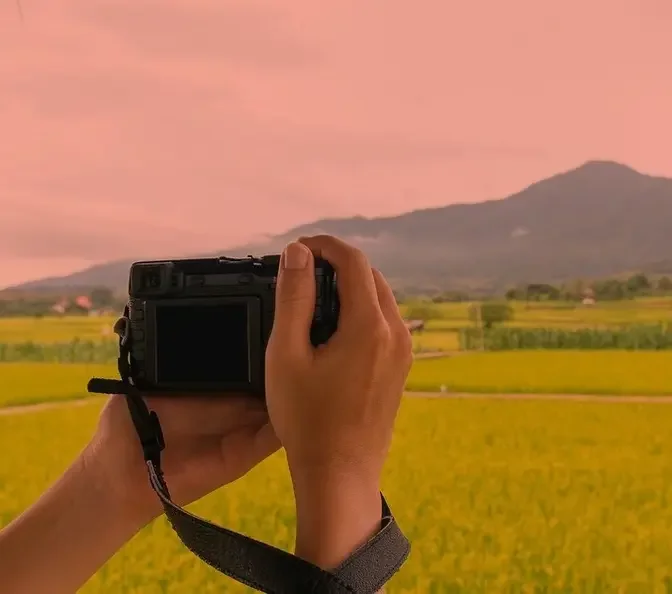
#PhotoCamera, #LandscapePhotography, #PhotographyExpert, #NatureShots, #ScenicViews, #OutdoorPhotography, #CameraGear, #LandscapeExpert, #TravelPhotography, #WideAngleShots, #PhotographySkills, #NaturalBeauty, #CameraTips, #PhotographyMastery, #LandscapeLovers
AI GeneratedMay contain errors
Faster shutter speed means sharper photos. I hear this a lot. Do you believe that's true?
Comment one below if you do and comment two if you don't. This video is here to help you choose
the right shutter speed depending on different circumstances, understand the caveats, the
pitfalls of shutter speed and most importantly why at the same shutter speed a slower object
can be sharper than a faster one like this runner going much slower than the car. So if you're ready
let's get right into it. First misconception when it comes to shutter speed that you may have heard
is that faster shutter speed means sharper photos. Well that's not exactly true. In that example
where I'm taking a photo of a car and the car is sharp but the runner at the same shutter speed
is blurry, what happens exactly? To understand what's happening understand that shutter speed
means how quickly your shutter will close in your camera and how long it will let light inside your
camera. So the faster the shutter speed the less light or amount of time the light will hit that
sensor. That means that moving objects will be more or less frozen and what matters the most in
here is not the speed of the object per se, its absolute speed, but what matters is its speed
relative to the frame meaning how much motion it has inside that frame. All right so this is great
I got my kids toys and I can play. Basically we have two tracks one that's closer one that's
further and we're gonna run at the same shutter speed the train in both places and let's look at
the result together. I had those three trains run down at the same time and as you can see we have
that motion blur here on the green one a little bit less here on that one although it's out of
focus and clearly the one in the background is much sharper. As you can tell we have much more
motion blur on the left at 1200 at the same shutter speed when we're closer than further. So
choosing your shutter speed will not only depend on how fast the object is moving but also how
close and how much space that object is taking inside your frame. So how do we choose? Well for
that I have a little photography cheat sheet that you can download in the description it's free it
has my most common use settings depending on different circumstances and it will help you
feel. Now as you can see on the screen and feel free to pause and take a screenshot for me the
rule of thumbs are pretty clear 125th of a second for a subject moving slowly and maybe portraits
1250 of a second minimum for people walking a little bit faster my everyday situation in the
street is usually at minimum 250 or a second and if I have someone that starts running or
bypassing back I'm gonna try to crank it up to 1500 a second in order again to get our subject
sharp but it will also depend how close it is in the frame remember and then if a subject's moving
much faster relative in the frame I'm gonna go above one one thousandth of a second. Now if I'm
in a low light situation and things get tricky I'm going to reduce it down maybe to 150 or a second
if I'm taking portraits with people really not moving fast or if I want to play with some cool
I'm gonna drag it much lower 150th of a second for panning 150th of a second or even a few seconds
if I'm trying to get light trails or shoot the stars. Second misconception I hear a lot is that
shutter speed only affects brightness well not so it has a double utility. Are you ready? The first
one is yes indeed affecting the exposure the brightness of your image. Why? Because as I
explained the longer you shutter then the more light will get into your camera and the more your
sensor will receive that light and be able to see it in a way. I'm trying to make it very simple here
and now its second utility is motion rendering. What do I mean by that? Well it's simply going to
define whether a subject that is in motion will be frozen or will be blurry and as I mentioned
the slower your shutter speed the more likely a subject that is in motion will be to be blurry
and the faster that shutter speed the more likely it will be for that subject to be frozen and look
sharp. And what do we define by sharp? Simply that it's not smudging around the subject it doesn't
look like it's trailing it looks like it's a completely frozen in motion. So when you're
your shutter speed you're not only choosing it to compensate for the exposure in your exposure
triangle which you can watch this video on all the basics very simply explained in less than 10
minutes but also it will help you creatively to decide whether or not you want a subject frozen.
In some cases you want it to be blurry for example waterfall looks awesome when you have the water
flowing and same in the night time if you're doing light trails with trains or cars in the city that
looks really cool and for those you actually need the slower shutter speeds in order to have that
subject to have the time to go through your frame while the shutter is open. Now third misconception
with a tripod everything will be sharp. Ouch! I hear this and I understand where that comes from
because we see a lot of photographers with tripods and we're like oh they look very pro and
stuff but you can still have blurry images with a tripod. Your tripod will only help you compensate
for camera shakes. What is camera shake? It's simply when you're holding your camera if you're
shaking or not and if you're shaking guess what happens the motion of your entire objects in your
scene is very high inside that frame because you're shaking like this so that tripod will help you
stay stable not shake and thus avoid that camera shake. So with a tripod you can take photos up to
30 seconds a minute 10 minutes without having any static objects being blurry but if you have
objects in motion then you will have to choose a shutter speed to know if you want to freeze them
or not. Now the fourth thing that you may have heard is that in-body stabilization will help
you get sharp photos no matter what shutter speed you're using. Well again that is not true. That
in-body stabilization that stabilizes the sensor so that it compensates for your movement is
compensating only for the camera shake and your movement and it has a limit. With the best image
stabilization I may have been able to do handheld shots at 3.5 seconds just like this and what
happened is that the static objects were sharp because the sensor was stabilized and it was
compensating right for my little movement even when I'm breathing that's enough to have for me to
have camera shake but the objects in motion were blurry. Of course why because they're in motion
and we're only compensating with the in-body stabilization for your camera shakes. So it's a
little bit like a tripod but belting into your camera. And last something a lot don't understand
is that you need to adapt your shutter speed depending on your lens. I hear a lot of people
say just shoot at that shutter speed and you will be fine. Well that depends on your lens. Why? Because
with a wider lens you will have less motion inside your frame than with a longer lens. How do we
understand this? Take your phone right now okay and go into your camera mode and zoom in as much as
you can and as you can see if I'm moving a tiny bit it's moving a lot in the frame. So this car
for example goes all the way from the left to the right without me ever doing anything. I'm
literally trying to hold it as still as possible. Now if I zoom out look the car relatively in the
frame its relative motion is much lower. So what does it mean? It simply means that we're going to
have less camera shake when we have a wider field of view than when we have a narrower field of view
which is why with very long lenses you may want to use tripods in order to be as precise and lower
the camera shake as much as possible. So what's the rule of thumb here? Well back in the days we
used to say your rule of thumb is don't go below one over the focal length. So for example if you
have a 50 millimeter lens well you want to shoot at minimum 150 over a second. Now within body
stabilization I will challenge a little bit that and say that maybe you can do at half of it if
body stabilization is good. So that would be 1 25th over a second handheld with a 50 millimeter
or I would even go as low as 150 per second but it will depend on how stable you are with your
hands. And if you were to take a 100 or 200 millimeter lens honestly 200 millimeter you
want to shoot at 100 a second again minimum. Just try it out and see depending on your gear
how good of a result you get. But remember the more you zoom in the more relative motion in the
frame there will be and as such you'll want to use a faster shutter speed. Okay let me know if this
is clear, if this makes any sense. Now anything else blurry for you in this video? Let me know in
the comments and with that being said watch this video to nail your autofocus, watch this one
to avoid three very common mistakes and all the photos you've seen have been edited
my presets you can grab them in the description. And with that being said get out there go shoot
try something different try something new. Bye!